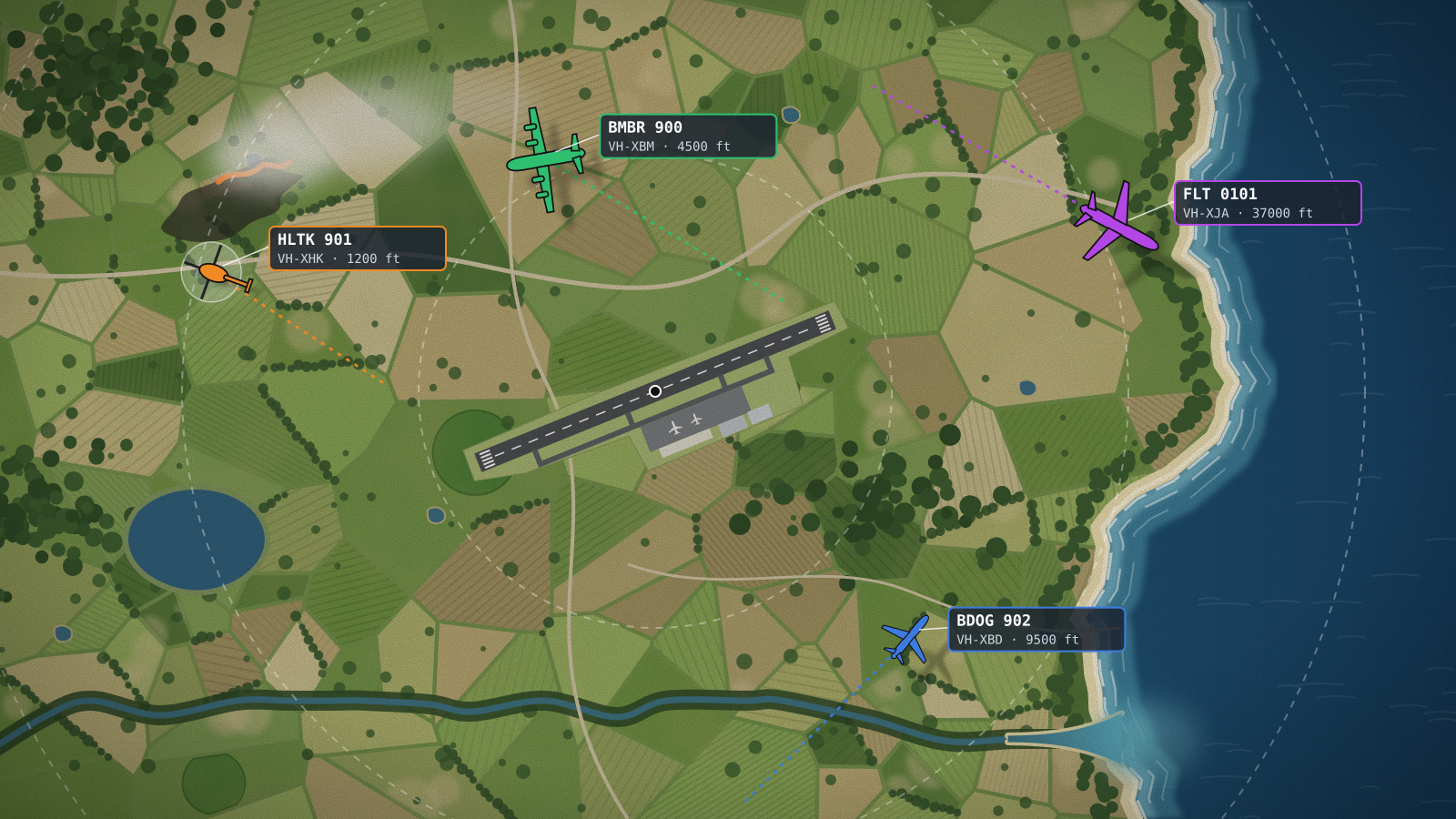
I run a small aircraft ADS-B receiver at my home. It picks up the position and telemetry broadcasts that most aircraft send out, plots them on my own live map, and shares them with Flightradar24 for a free contributor plan. To make sure I keep looking up at the sky, I added a short Python script, written with Claude, which sends a message to my phone whenever a firefighting aircraft comes within range.
HOW AIRCRAFT TRACKING WORKS
Most aircraft carry a transponder that broadcasts their position, altitude, speed and callsign a couple of times a second, on 1090 MHz. This is called ADS-B, and anyone with a receiver can pick it up. You don’t need special equipment. A cheap USB TV-tuner dongle (an RTL-SDR) and a simple antenna will hear aircraft at cruising altitude a couple of hundred kilometres away. Sites like Flightradar24 are built mostly from thousands of these home receivers.
THE SETUP
Everything runs on a home server that’s always on. Each part runs in its own Docker container, apart from the alert script, which runs as a small background service.
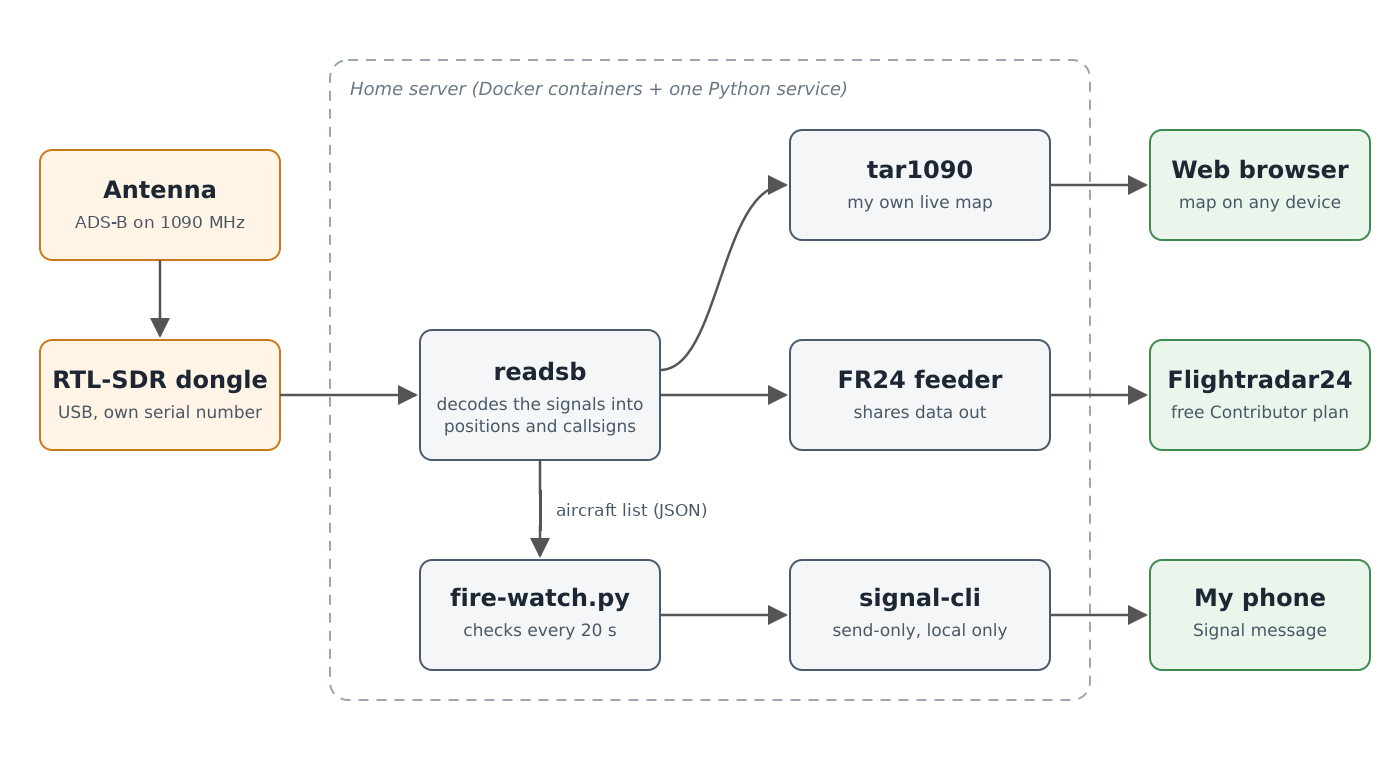
- Antenna and RTL-SDR dongle. The dongle plugs into the server by USB. I also run a second dongle for general radio listening, so each one has its own serial number written to it. Each program is told which serial to use, so they never grab the wrong one.
- readsb. This decodes the raw radio signals into a list of aircraft, with their positions and callsigns.
- tar1090. This is the map, a web page showing every aircraft my receiver can hear, coloured by altitude. The map at the top of this post is mine. The blue outline is my receiver’s actual range, and the rings are 100 and 150 nautical miles.
- Flightradar24 feeder. This takes the same data from readsb and shares it with Flightradar24.
- The alert script and signal-cli. The script watches readsb’s aircraft list and sends messages through signal-cli, a command-line version of the Signal messaging app.
SHARING WITH FLIGHTRADAR24
All aircraft traffic going through my receiver is shared with Flightradar24. Flightradar24 rewards people who share their receiver’s data with a free subscription. At the time of writing, it’s called the Contributor plan and it includes their top-tier features, as long as you keep sharing. Two of those features are useful here. Custom fleets let you build your own list of aircraft by registration and see only those on the map. Custom alerts send a push notification when a chosen aircraft or type flies through an area you pick.
Flightradar24 sees aircraft right across the country, which my one antenna can’t. It only knows the aircraft you add by registration, though, and many firefighting aircraft are contracted in for the season and change from year to year. That’s where my own script helps.
SPOTTING FIREFIGHTING AIRCRAFT BY CALLSIGN
Australian firefighting aircraft use a standard set of callsigns, set nationally by the National Aerial Firefighting Centre. That way air traffic control can tell straight away what an aircraft is doing. The short form of the callsign is usually what shows up in the ADS-B broadcast, so the script can recognise these aircraft whoever owns them.
Table 1
Firefighting Callsigns and What They Mean
| Callsign | Short form | Role |
|---|---|---|
| Bomber | BMBR | Fixed-wing water or retardant bomber |
| Helitak | HLTK | Medium or heavy helicopter, often water bombing |
| Firebird | FBIR | Light helicopter for general fire support |
| Birddog | BDOG | Plane that coordinates the bombers over a fire |
| Firespotter | SPTR | Plane gathering fire intelligence |
| Firescan | FSCN | Plane mapping fires with infrared scanners |
Note. From the National Aerial Firefighting Centre’s standard on firefighting callsigns. Some agencies also use their own callsigns for their helicopters.
THE ALERT SCRIPT
I described what I wanted to Claude, and it wrote the script with me and tested it against simulated data before I installed it. readsb already does all the hard work of decoding, so the script only has to read a small list of aircraft every 20 seconds. It uses a tiny fraction of the server’s CPU. The heart of it is a callsign check:
FIRE_PREFIXES = ("BMBR", "HLTK", "FBIR", "BDOG", "SPTR", "FSCN")

for aircraft in feed["aircraft"]:
    callsign = (aircraft.get("flight") or "").strip().upper()
    if callsign.startswith(FIRE_PREFIXES):
        send_alert(aircraft)
Around that, the script does a few more things:
- It works out how far away each aircraft is and in which direction, and adds its altitude, heading and speed to the message.
- It announces each aircraft at most once an hour.
- It warns me if the receiver stops hearing anything for 15 minutes, although I will change this, as it keeps alerting me through the night!
Messages go out through a separate Signal number that only sends. I chose Signal partly because it works over satellite messaging on my phone, so the alerts still reach me when I’m out of mobile coverage (via SpaceX satellite).
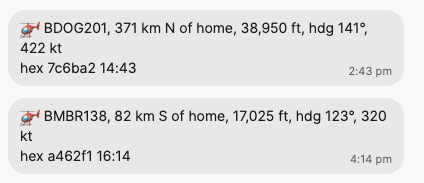
The first two alerts arrived the day after I set it up. Neither was fighting a fire. The Birddog was cruising at almost 39,000 feet, and Bomber 138, a large air tanker, was passing through at 17,000 feet, probably being repositioned. That’s useful to know. A future version might only alert on aircraft below a certain altitude, which is where they work over a fire.
WHAT IT COST
Apart from the dongle and antenna, nothing. readsb, tar1090, the Flightradar24 feeder and signal-cli are all free and open source or free to use, the Flightradar24 subscription comes free with sharing, and the alert script uses only Python’s built-in libraries.